
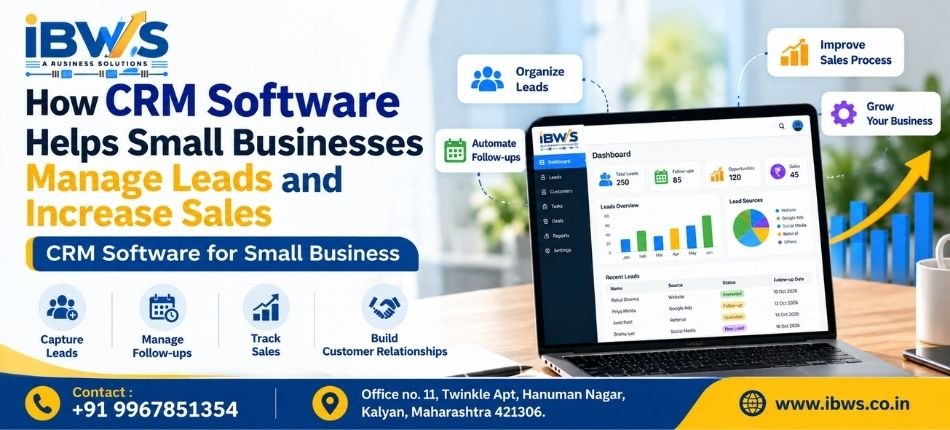
How CRM Software Helps Small Businesses Manage Leads and Increase Sales
Running a small business means handling enquiries, customers, follow-ups, sales opportunities, and daily operations at the same time. CRM Software for Small Business helps organize these activities in one centralized system, making it easier to manage leads, track follow-ups, improve customer relationships, and build a more efficient sales process.
This is where CRM software for small business can make a significant difference. A Customer Relationship Management (CRM) system brings leads, customer information, follow-ups, tasks, and sales activities together in one organized platform. Businesses looking for a centralized solution can explore IBWS CRM Software Solutions to manage leads, customers, follow-ups, and everyday business operations more efficiently.
For growing businesses, a customized CRM solution can help simplify everyday operations, improve lead management, and give teams better visibility into their sales pipeline.
What Is CRM Software?
CRM (Customer Relationship Management) software helps businesses manage customer information, leads, follow-ups, and sales activities in one centralized system. It allows teams to track every customer interaction and monitor the progress of potential sales. Instead of using multiple spreadsheets or manual records, businesses can organize important data in one place. A reliable CRM helps improve customer management, team coordination, and overall sales efficiency.
Why Do Small Businesses Need CRM Software?
Small businesses often begin with a manageable number of customers and enquiries. A spreadsheet or manual register may initially seem sufficient.
However, as enquiries increase, several common problems can appear.
A salesperson may forget to follow up with a prospect. Customer details may be scattered across phones and spreadsheets. Management may not know how many leads are active. Multiple employees may contact the same customer without knowing the previous conversation.
CRM software for small business creates a structured process for handling these activities.
It can help a growing organization move from an informal lead-management process to a centralized and more measurable system.
1. Keep All Leads in One Place
One of the biggest advantages of CRM software is centralized lead management.
Leads may come from websites, phone calls, referrals, advertising campaigns, social media, or other sources. When each source is handled separately, tracking every enquiry becomes challenging.
A CRM system allows businesses to maintain lead information in a single database.
Teams can quickly see who the prospect is, where the enquiry came from, what the customer needs, and what action needs to be taken next.
This provides better visibility and reduces dependency on individual spreadsheets or personal records. For businesses handling enquiries from multiple sources, a dedicated Lead Management CRM can help organize leads, track their status, and manage follow-ups from one centralized system.
2. Reduce Missed Follow-Ups
A lead does not always become a customer after the first conversation.
Many sales opportunities require multiple calls, meetings, demonstrations, quotations, or reminders before a decision is made.
Without an organized system, valuable opportunities may be forgotten.
CRM software can help sales teams schedule follow-ups and maintain records of previous interactions. This makes it easier to identify which prospects require attention and when they should be contacted again.
Consistent follow-up can improve the chances of converting interested prospects into customers.
3. Build a Clear Sales Pipeline
A CRM can provide a structured view of where each lead currently stands.
For example, a business may use stages such as:
New Lead → Contacted → Interested → Demo/Meeting → Quotation → Negotiation → Won/Lost
This sales pipeline gives the team and management a clearer understanding of current opportunities.
Instead of simply knowing how many enquiries were received, businesses can see how those enquiries are progressing toward a sale.
4. Prioritize Better Sales Opportunities
Not every enquiry has the same potential.
Some prospects may only be collecting information, while others may be ready to purchase soon.
A CRM allows businesses to categorize leads according to factors such as requirement, status, source, priority, budget, or stage.
Sales teams can therefore spend more time on high-priority opportunities while still keeping other prospects organized for future follow-ups.
This can make the sales process more efficient.
5. Improve Team Coordination
When multiple employees are involved in sales or customer service, information sharing becomes important.
Without a centralized system, one employee may not know what another employee discussed with a customer.
A CRM provides a shared record of relevant customer and lead activities.
Authorized team members can check previous interactions, upcoming tasks, current lead status, and other important information.
This creates better coordination and reduces unnecessary communication gaps.
6. Understand Where Your Best Leads Come From
Small businesses often invest in multiple marketing channels, including Google Ads, SEO, social media, referrals, websites, and offline promotions.
But which source is actually generating useful enquiries?
A properly configured CRM can record the source of each lead. Over time, this information can help businesses understand which marketing channels are generating better opportunities.
Management can then make more informed decisions about where to focus its marketing efforts.
7. Save Time Through Automation
CRM software can automate repetitive tasks such as follow-up reminders, lead assignments, notifications, and sales updates. This reduces manual work and helps employees focus more on customers and important business activities. Automation also minimizes the chances of missed follow-ups and improves workflow consistency. For small businesses, this can save valuable time while making daily operations more efficient.
Small businesses can also explore Google’s resources for small businesses to learn more about digital tools and strategies for improving their online operations.
8. Make Better Decisions with CRM Reports
Business decisions become easier when management has access to organized data.
A CRM dashboard can provide insights into areas such as total leads, active opportunities, lead sources, conversion status, pending follow-ups, employee activities, and sales performance.
Instead of relying only on assumptions, business owners can use this information to identify bottlenecks and improve their sales process.
How Can CRM Software Help Increase Sales?
CRM software does not automatically create sales. Its value comes from helping a business manage its sales process more consistently.
When leads are properly recorded, follow-ups happen on time, sales opportunities are visible, and teams have access to the right customer information, fewer potential opportunities are likely to be overlooked.
Over time, this improved process can contribute to better lead conversion and sales performance.
Customized CRM vs Generic CRM Software
Every small business operates differently.
A real estate company may need property and site-visit tracking. A clinic may need patient-related workflows. A recruitment company may need candidate and employer management. A pest control business may need service schedules and customer follow-ups.
For this reason, an off-the-shelf CRM may not always match every workflow.
A customized CRM software solution can be designed around the organization’s actual processes, required modules, user roles, reports, and business objectives.
This can make the software easier for employees to adopt and more relevant to everyday operations.
CRM Solutions for Different Business Requirements
IBWS provides business software and CRM solutions for different operational requirements, including:
- Lead Management CRM
- Clinic Management CRM Software
- Real Estate CRM Software
- Job Consultancy CRM Software
- Pest Control Management CRM Software
- Courier Management CRM Software
- Manpower Management CRM Software
Businesses can choose a solution according to their workflow rather than trying to manage every process through disconnected tools.
Choosing the Right CRM Software for Your Small Business
Before selecting a CRM, businesses should first identify the problems they want the software to solve.
Consider whether you need better lead tracking, automated follow-ups, employee task management, customer history, reporting, sales pipeline visibility, or industry-specific functionality.
The ideal CRM software for small business should be easy for employees to use, flexible enough for future requirements, and capable of supporting the business as it grows.
Conclusion
As a small business grows, managing customers and sales opportunities manually becomes increasingly difficult.
A well-implemented CRM system can centralize lead information, organize follow-ups, improve team coordination, provide useful sales insights, and create a more structured customer-management process.
For businesses looking to improve how they manage enquiries and sales opportunities, choosing the right CRM software for small business can be an important step toward building a scalable sales process.
IBWS provides customized CRM and business software solutions designed for different industries and operational requirements. Businesses looking for a solution tailored to their workflow can explore IBWS CRM solutions and request a demo.
